The Control Plane for AI Agents.

Every action verified, approved where it matters, and always on the record.

Top features

  • Independent verifiers

    A separate reviewer checks the work. It never sees the worker’s reasoning.

    Learn more
  • Autonomy policies

    Allow, ask or deny for each role and action. Denied unless you allow it.

    Learn more
  • Human approvals

    A person signs off where your rules say so. Each approval works once, for one action.

    Learn more
  • Hard budget stops

    Spend is checked before each model call. Over budget is refused.

    Learn more
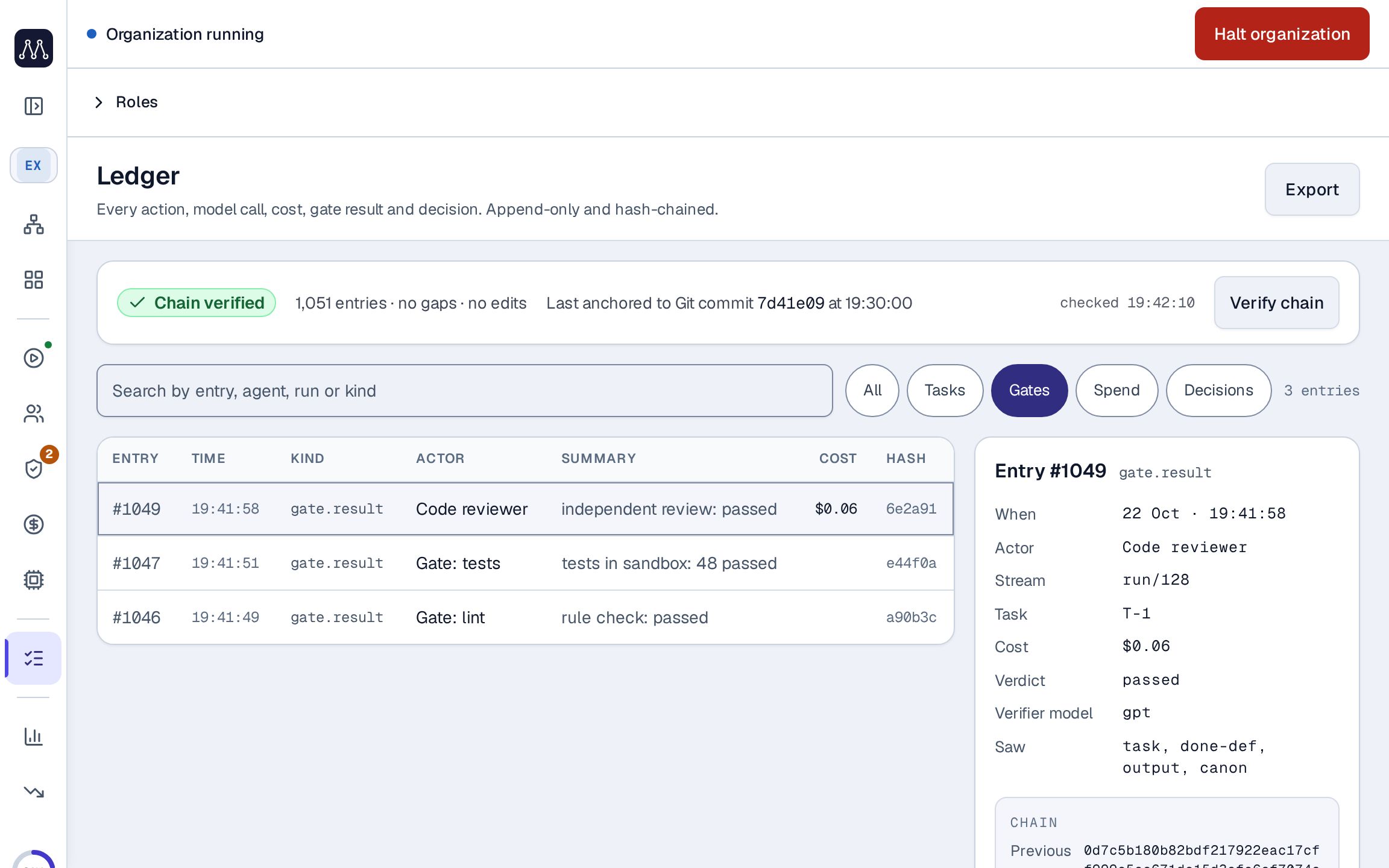
  • Tamper-evident audit ledger

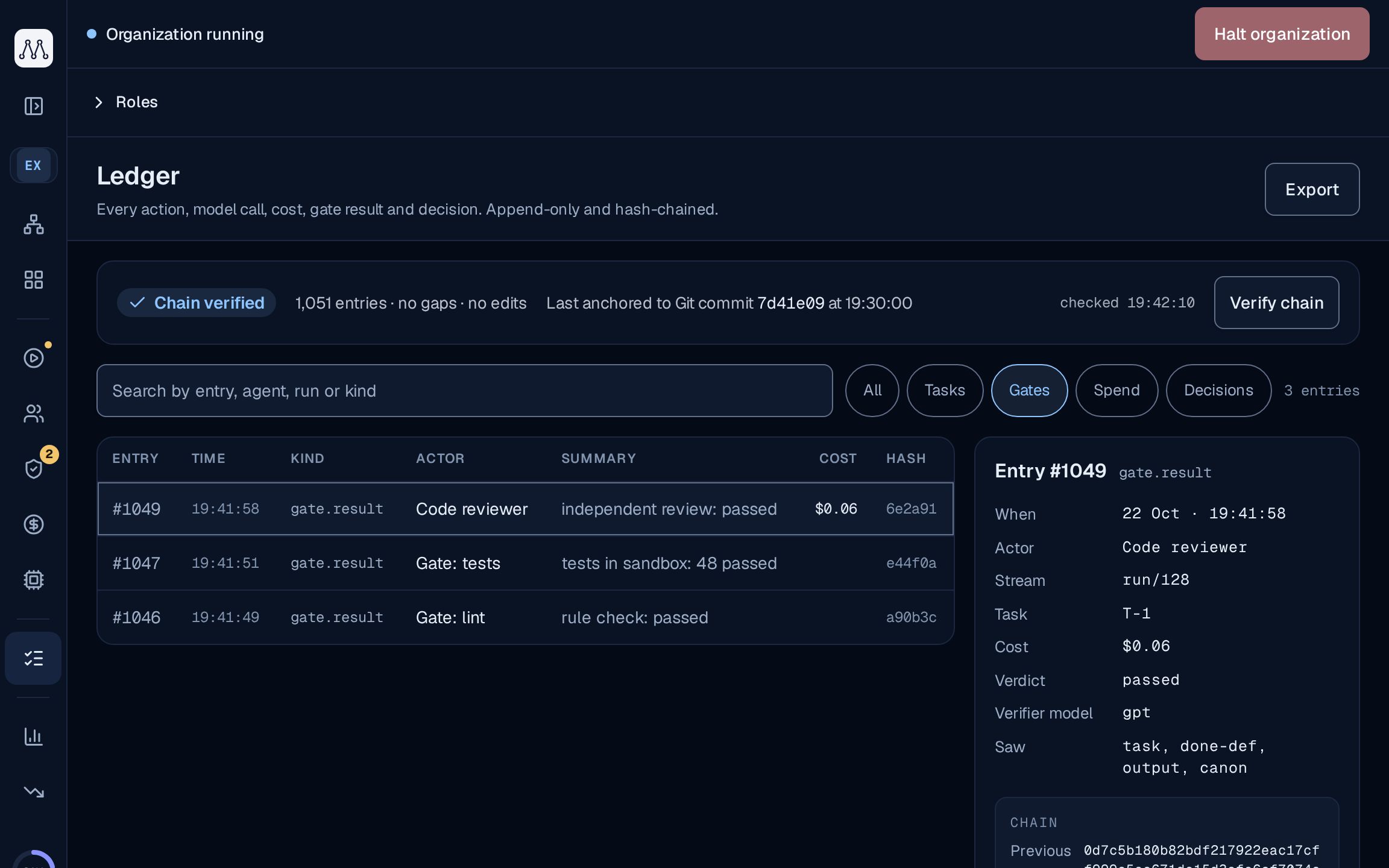
    Every action is on the record. An edited entry shows, and where. You can check it offline.

    Learn more
  • Workflow builder

    Draw the team on a canvas, with its checks and approvers, and export it as a file NuraMesh runs.

    Learn more
  • Kill switch

    Stop an organization, a role or a rule. New work stops at once, and only a person can restart it.

    Learn more
  • Merge Gate

    Coming soon

    Nothing merges until an independent review has accepted it.

    Learn more

How it works: one task, one loop.

Follow one task from start to finish: “Fix issue #142: add retries to the payment webhook”. Every screen is the real NuraMesh app.

Connect

You plug in your stack

Bring the framework and models you already use.

Your framework

  • LangGraph
  • LangChain
  • OpenAI Agents SDK
  • Claude Agent SDK
  • CrewAI
NuraMeshControl Planechecks · budgets · approvals · record
model calls go through NuraMesh

Your model provider

  • Anthropic
  • Azure OpenAI
  • OpenAI
  • Google Gemini
  • Mistral
  • Groq
  • Together AI
  • Ollama
  • vLLM
  • LM Studio
  • OpenAI-compatible endpoints
Build

You draw your team

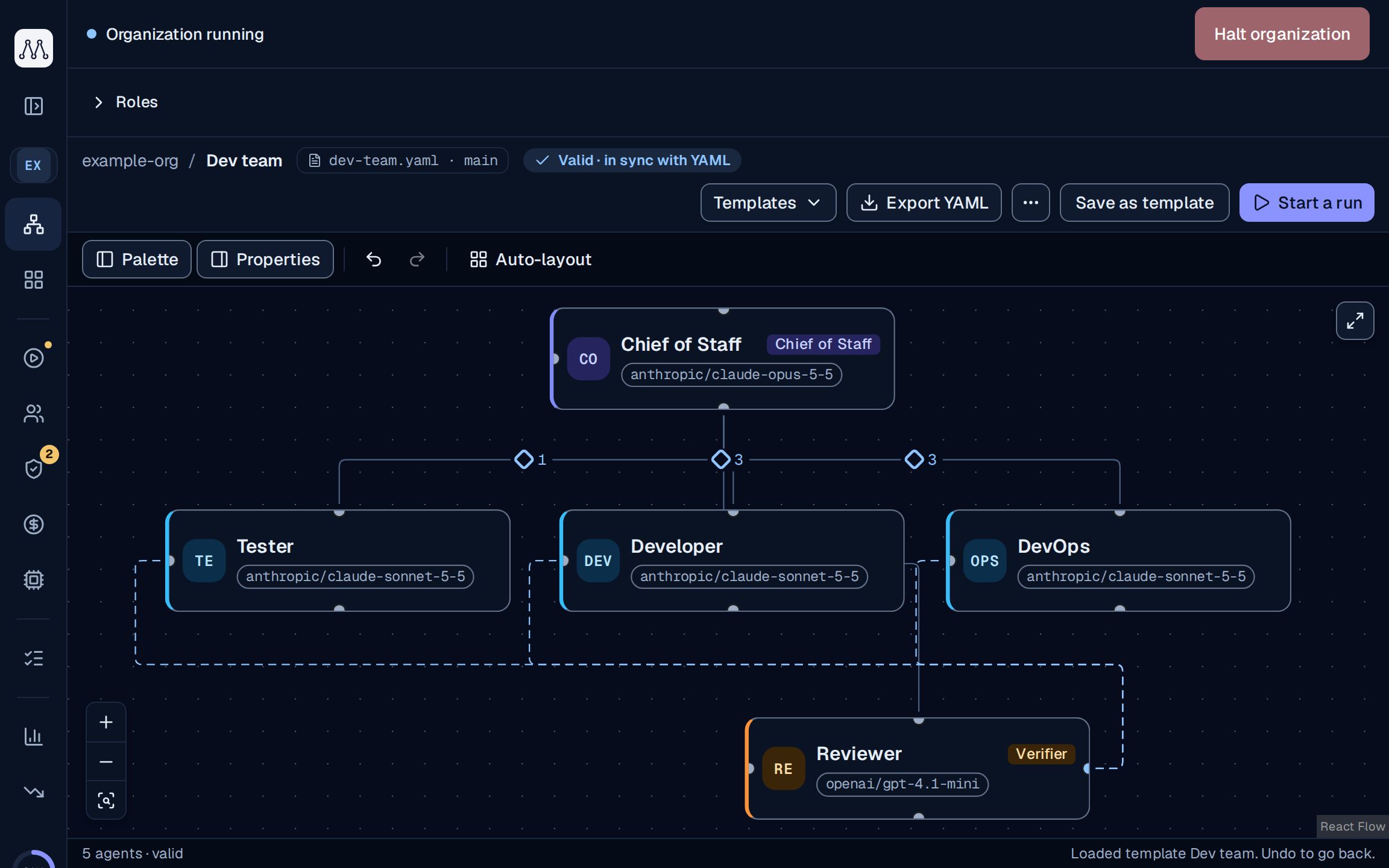
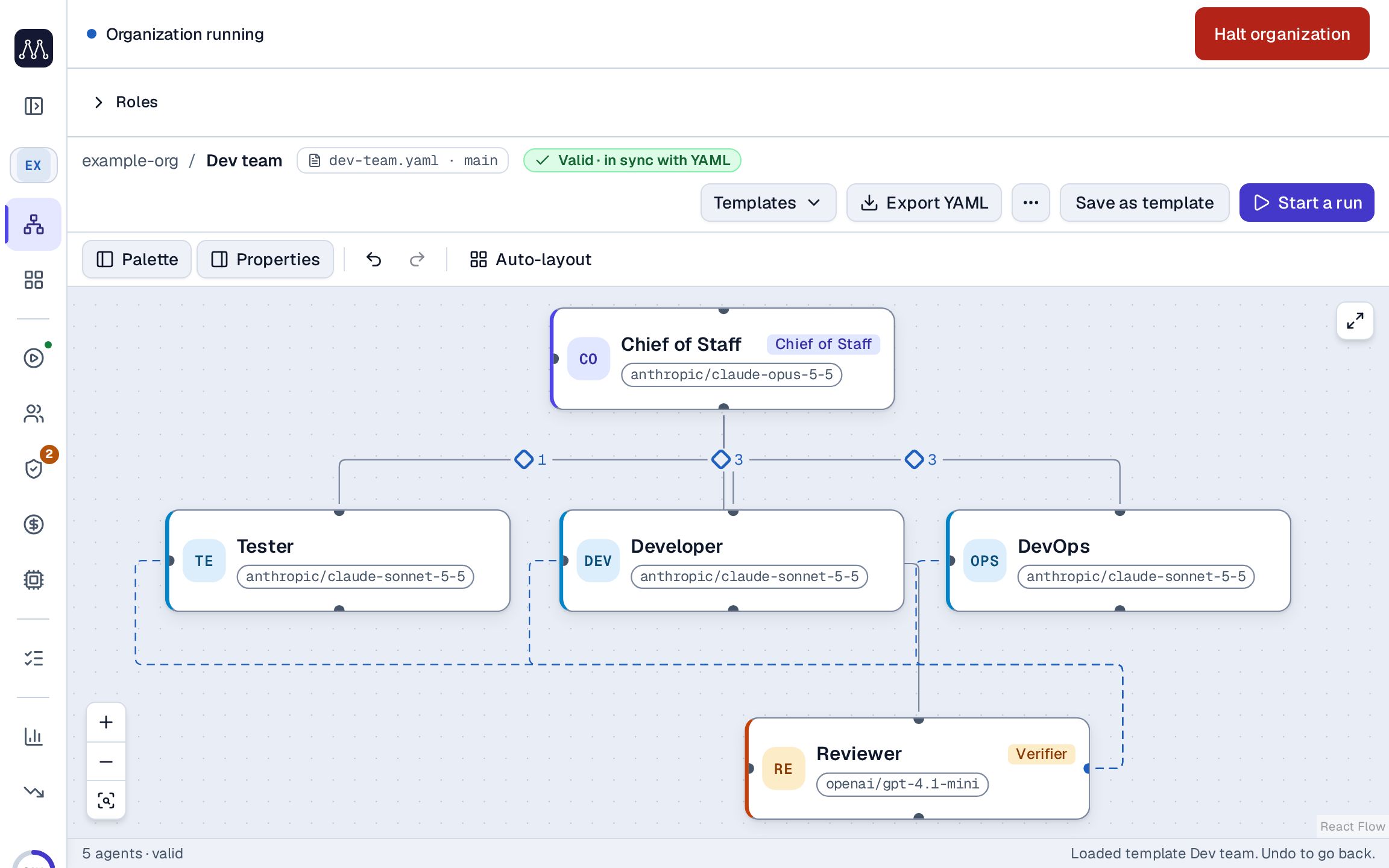
Put your agents on a canvas, say who checks whose work, and export the team file.

The whole window of the NuraMesh app. The builder canvas of the NuraMesh app: a Chief of Staff on top, below it a Tester, a Developer and a DevOps agent, and a Reviewer marked Verifier with dashed checking lines to the three. Each card names its model.The whole window of the NuraMesh app. The builder canvas of the NuraMesh app: a Chief of Staff on top, below it a Tester, a Developer and a DevOps agent, and a Reviewer marked Verifier with dashed checking lines to the three. Each card names its model.This agent checks the others
The NuraMesh app. Org builder: the dev team for this task.

Govern

You set the rules

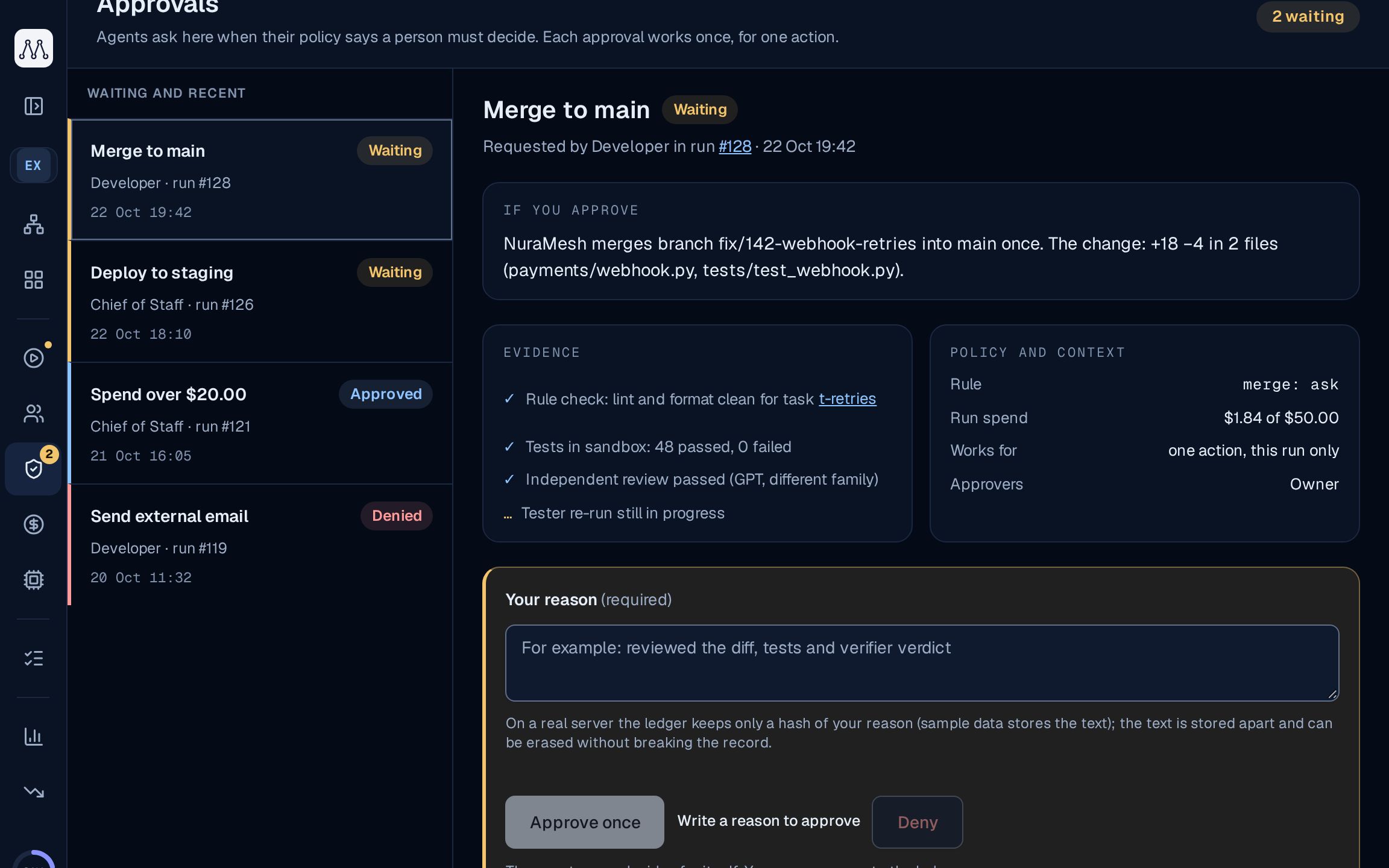
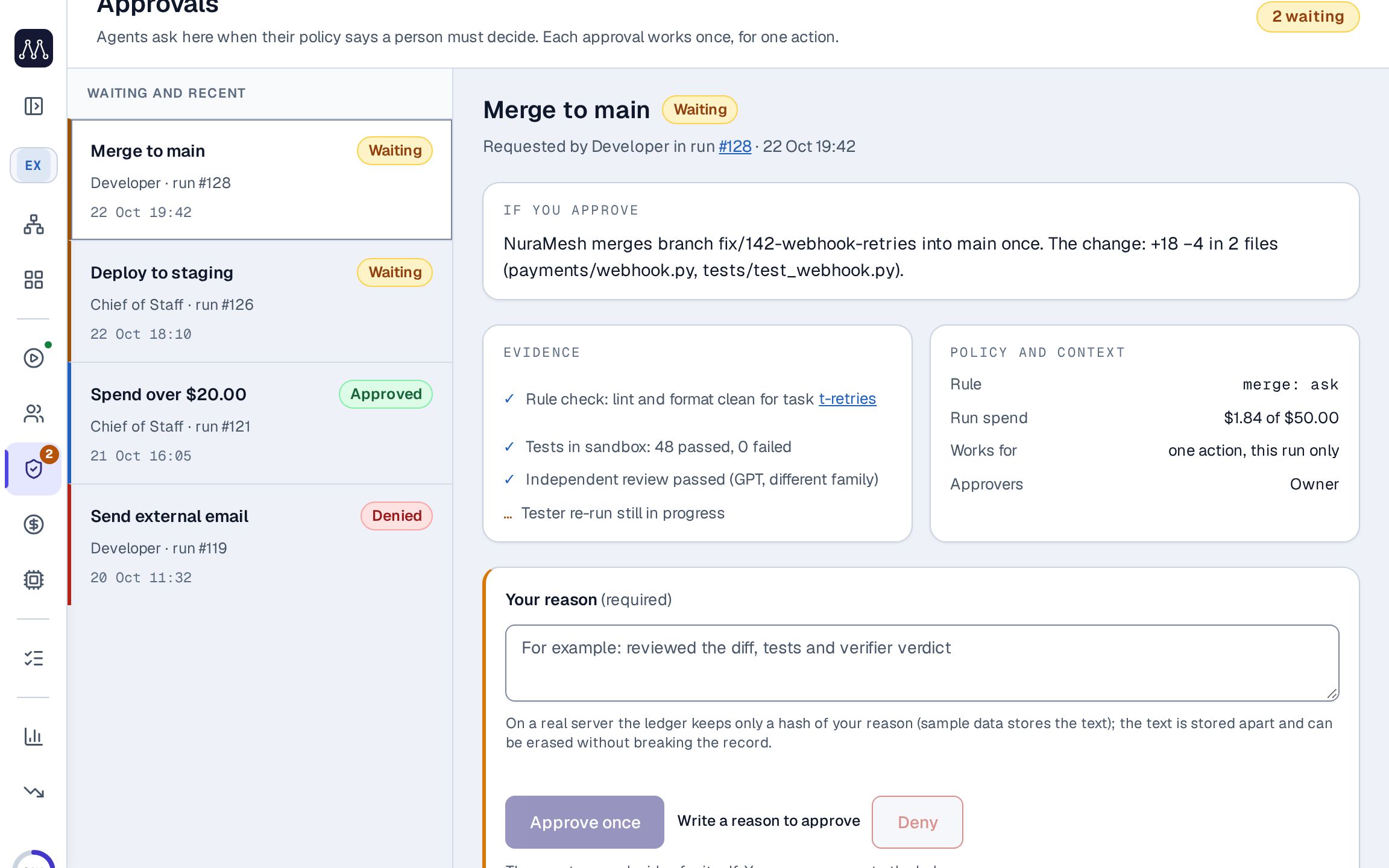
Decide what agents may do alone and what needs your OK, such as merging to main.

The whole window of the NuraMesh app. An approval request in the NuraMesh app: Merge to main, waiting, requested by the Developer in run #128. If you approve, NuraMesh merges branch fix/142-webhook-retries into main once. The evidence lists the checks so far; the rule that asked is merge: ask.The whole window of the NuraMesh app. An approval request in the NuraMesh app: Merge to main, waiting, requested by the Developer in run #128. If you approve, NuraMesh merges branch fix/142-webhook-retries into main once. The evidence lists the checks so far; the rule that asked is merge: ask.Your rule: merging to main needs approval
The NuraMesh app. Approvals: the Developer asks to merge to main.

Run

You watch the work happen

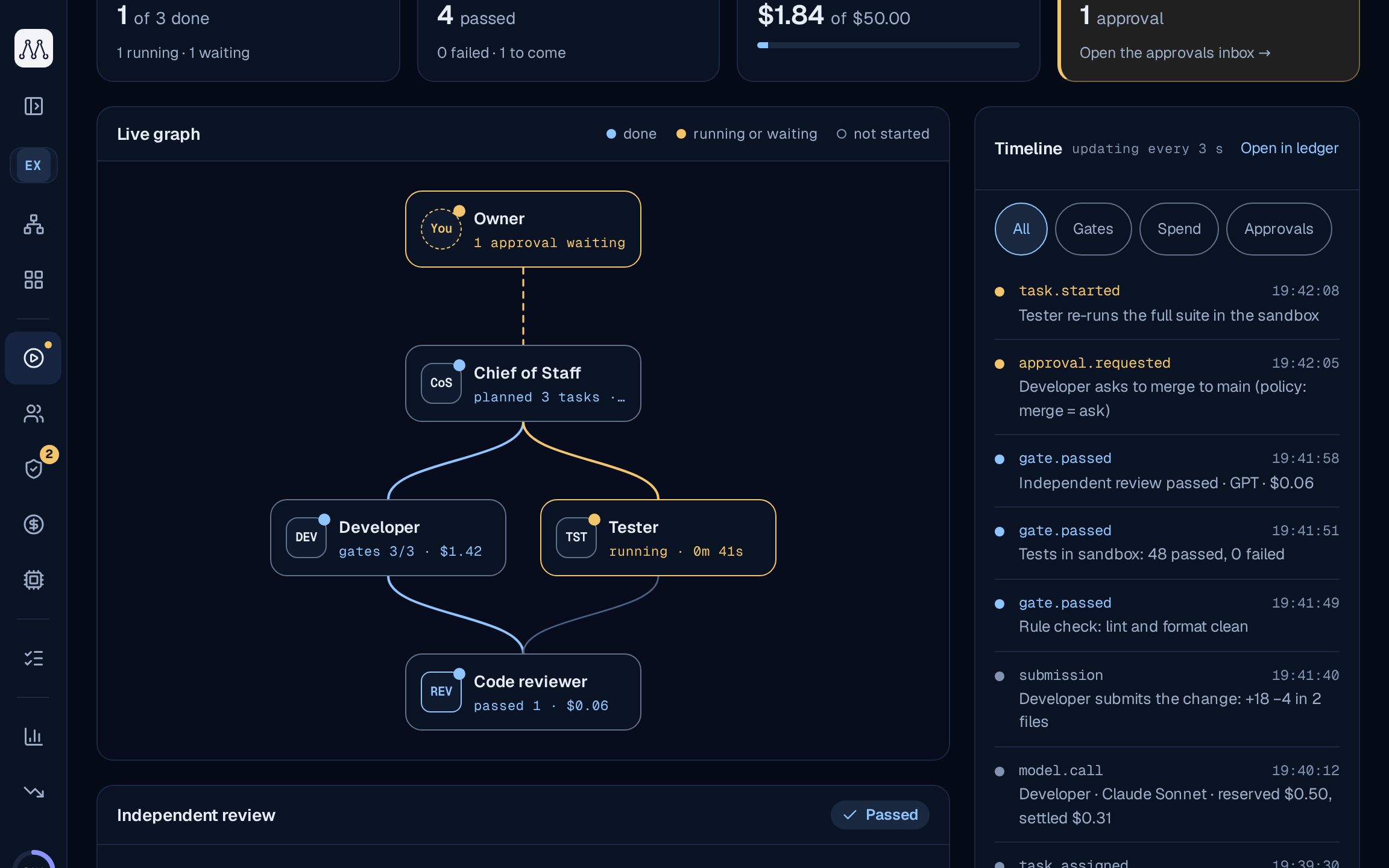
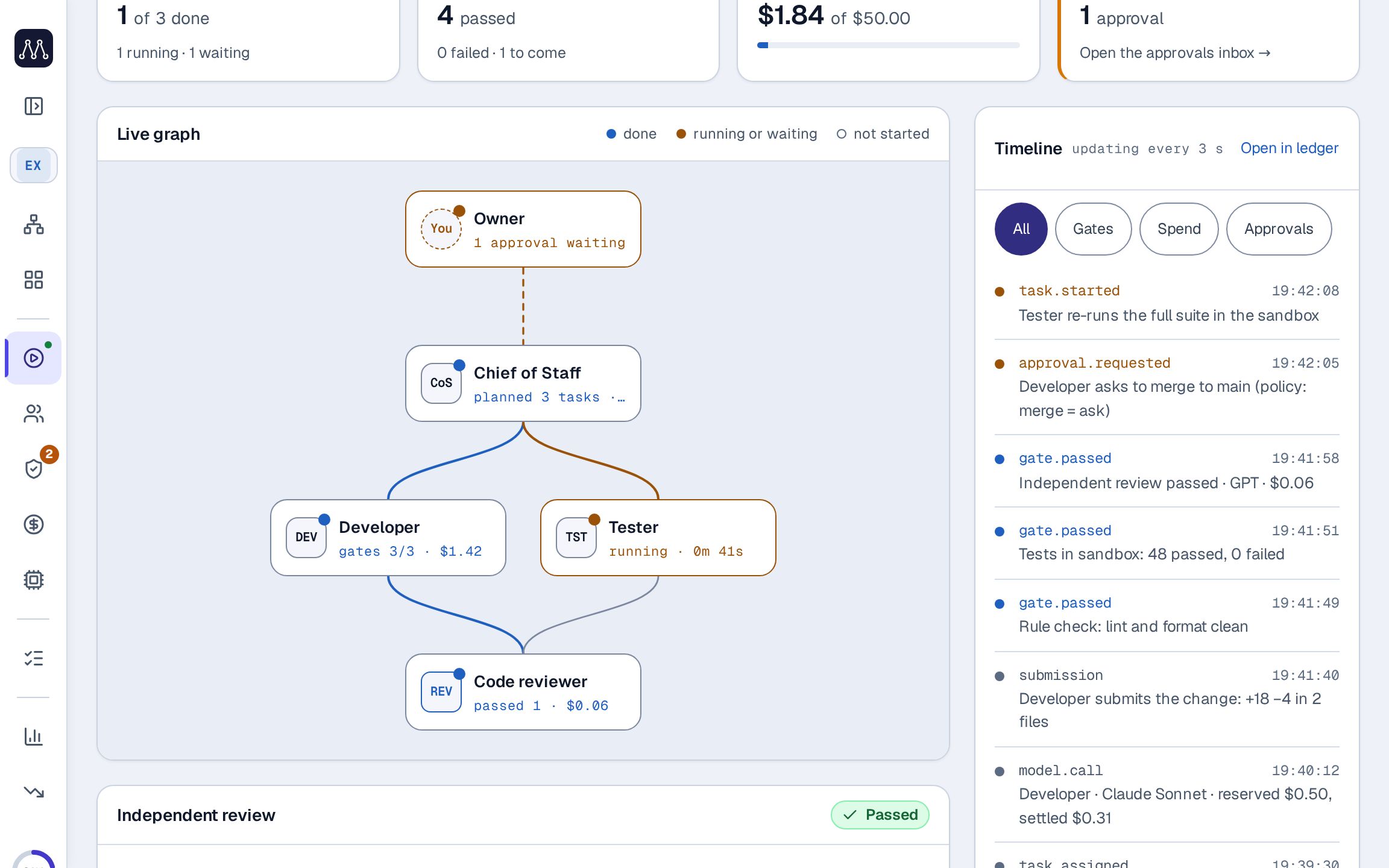
Start the task and follow each agent live, with the cost so far.

The whole window of the NuraMesh app. The run page of the NuraMesh app for this task: 1 of 3 tasks done, 4 checks passed, $1.84 of $50.00 spent, 1 approval waiting. The live graph shows the Owner, the Chief of Staff, the Developer (done), the Tester (running) and the Code reviewer (passed).The whole window of the NuraMesh app. The run page of the NuraMesh app for this task: 1 of 3 tasks done, 4 checks passed, $1.84 of $50.00 spent, 1 approval waiting. The live graph shows the Owner, the Chief of Staff, the Developer (done), the Tester (running) and the Code reviewer (passed).Working on it right now
The NuraMesh app. Runs: issue #142 in progress.

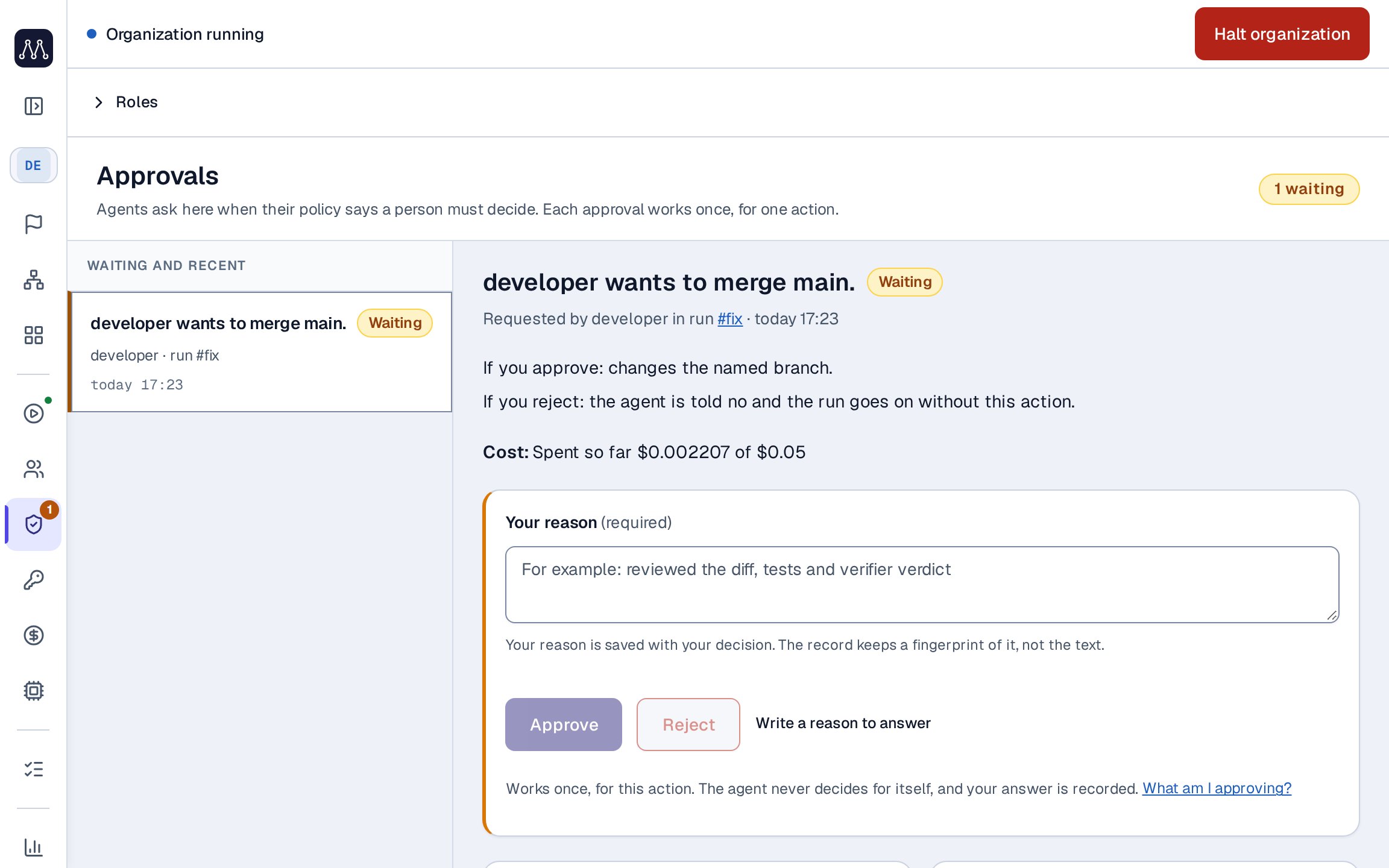
Approve

You approve what matters

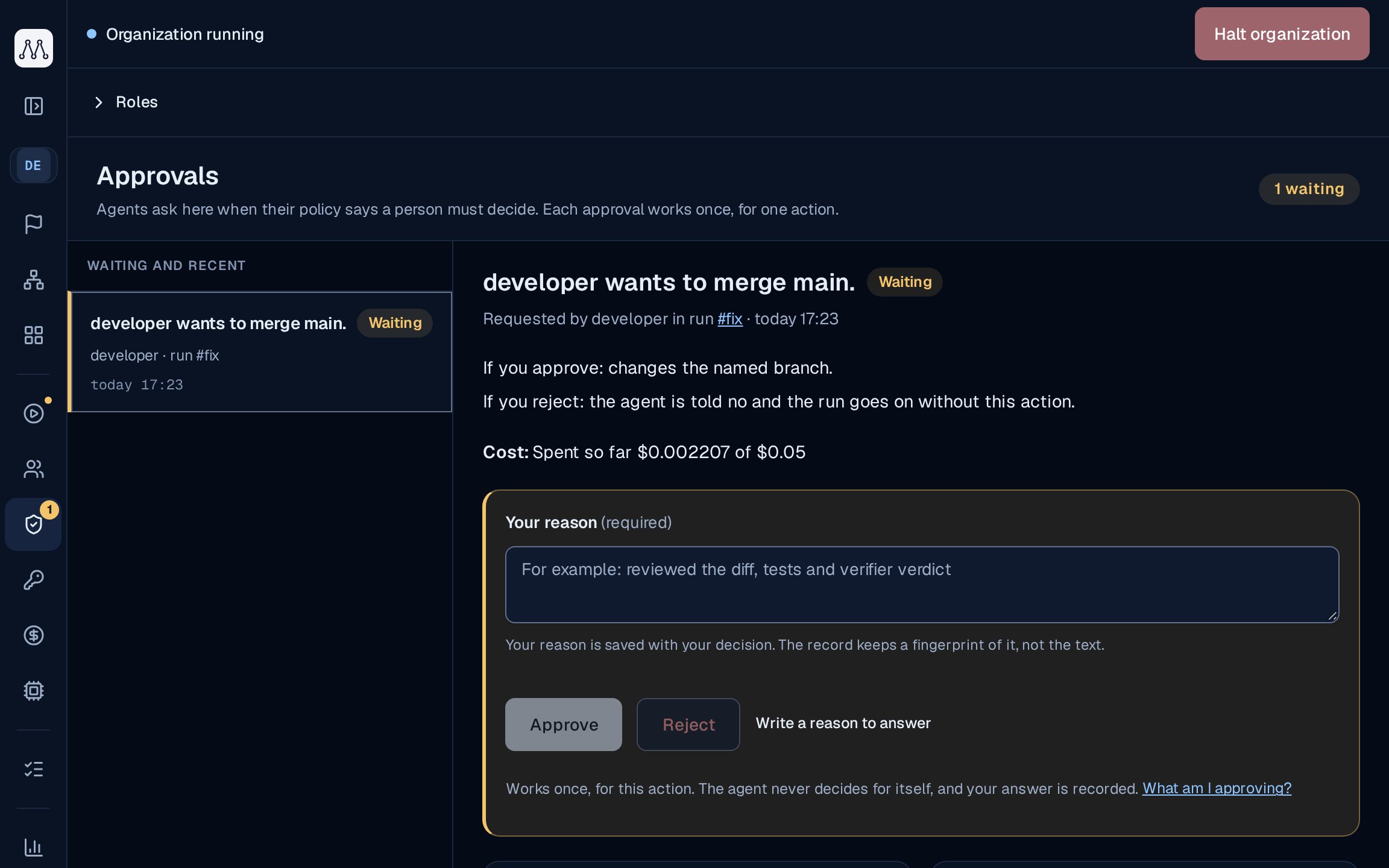
A person signs off where the rules say so, and the decision goes on the record.

The whole window of the NuraMesh app. The Approvals page: the developer asks to merge to main and waits. A reason is required before a person can approve or reject, and the answer works once, for this action.The whole window of the NuraMesh app. The Approvals page: the developer asks to merge to main and waits. A reason is required before a person can approve or reject, and the answer works once, for this action.A person decides
The NuraMesh app. Approvals: the developer asks to merge to main.

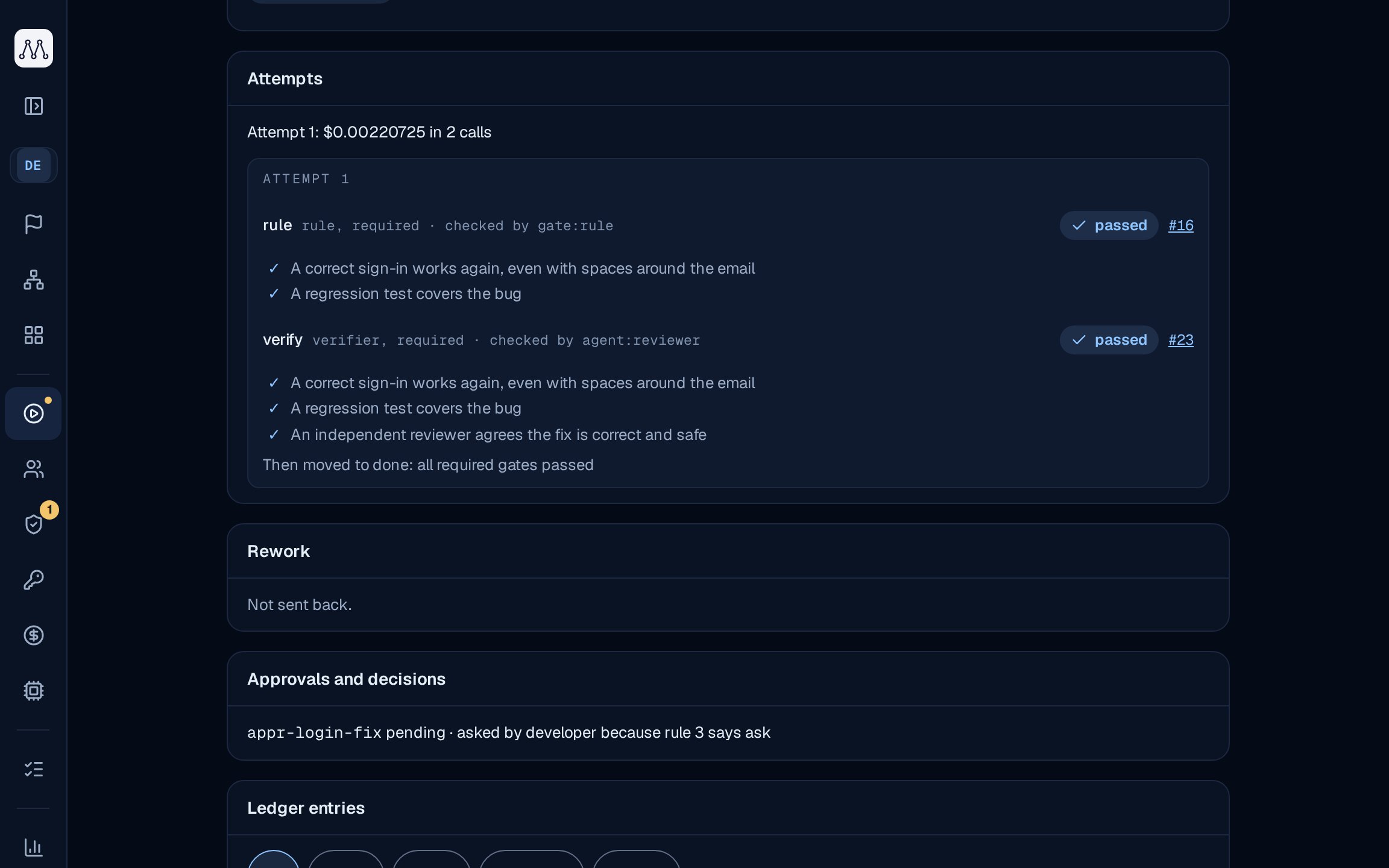
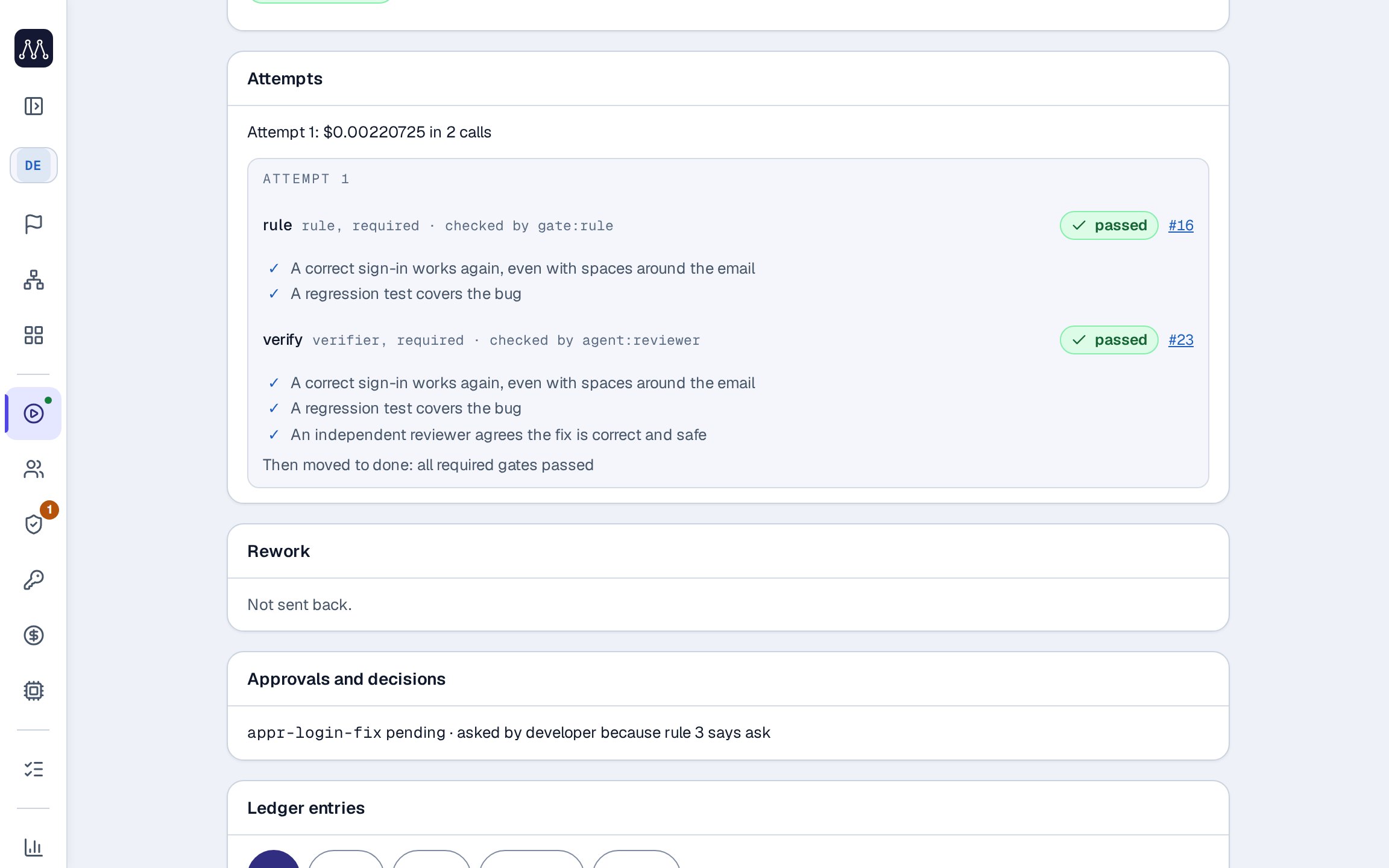
Verify

Every result gets a second look

A separate reviewer, who never sees the developer’s reasoning, must pass the work before it counts.

The whole window of the NuraMesh app. The task page of the login-bug fix: the rule gate passed, and the verify gate, checked by the reviewer agent, passed, with its three criteria met: a correct sign-in works again, a regression test covers the bug, and an independent reviewer agrees the fix is correct and safe.The whole window of the NuraMesh app. The task page of the login-bug fix: the rule gate passed, and the verify gate, checked by the reviewer agent, passed, with its three criteria met: a correct sign-in works again, a regression test covers the bug, and an independent reviewer agrees the fix is correct and safe.Checked and passed
The NuraMesh app. Runs: the independent review of the login-bug fix.

Back to Build

The loop starts again

Each pass starts at Build, with what the last one taught you.

  1. BuildYou draw your team
  2. GovernYou set the rules
  3. RunYou watch the work happen
  4. ApproveYou approve what matters
  5. VerifyEvery result gets a second look
  6. RecordYou can prove what happened
  7. Improve
Start again at Build

See it on your own workflow

Request access

Three things it does not let happen

  • An agent says “done”, but a check failed.

    The work stays open until every check passes.

    Not counted as done

  • An agent tries to spend over budget.

    The request is refused before anything is spent.

    Refused before it spends

  • Someone edits the history.

    Every entry is sealed, so the edit shows.

    Edit detected at entry 2088

Get started in four commands.

A Python SDK and a CLI. Try a whole run on your laptop, with no model keys and no cost.

  1. Create the team

    Start from the dev-team template: a small team, ready to run.

    $ nuramesh init my-team --template dev-team
  2. Validate

    Check the team file before anything runs.

    $ nuramesh validate my-team/nuramesh.yaml
  3. Try it without keys

    A whole run with checks, budgets and an approval, on the built-in test model. No keys, no cost.

    $ nuramesh try my-team --fake \
        --approve-as human:you --run-id first-run
  4. Verify the record

    Recheck everything that just happened, from the record alone.

    $ nuramesh ledger verify --team my-team
Terminalthe four commands, with output
$ nuramesh init my-team --template dev-team
created my-team from the 'dev-team' template. Next:
  …
$ nuramesh validate my-team/nuramesh.yaml
my-team/nuramesh.yaml: valid
$ nuramesh try my-team --fake \
    --approve-as human:you \
    --run-id first-run
Run first-run
Tasks: … done
  …
      gate review (verifier): passed by agent:reviewer
  …
      gate approve-deploy (human): passed by human:you
  …
Ledger: run:first-run seq …, head … (verified)
$ nuramesh ledger verify --team my-team
org:my-team: … events, head … ok
run:first-run: … events, head … ok
… streams, 0 broken
  …

numbers in your run may differ

team.pyexcerpt, Python on LangGraph
from langchain_core.messages import (
    HumanMessage, SystemMessage,
)
from langgraph.graph import (
    END, START, StateGraph,
)
from nuramesh.adapters.langgraph import (
    NuraMeshChatModel,
    authorize,
)
from nuramesh.core.policy import ActionKind

# a node of
# developer_graph(model: NuraMeshChatModel)
…
    # the policy decides
    # before the agent acts
    authorize(
        model, ActionKind.WRITE_FILE,
        "calc.py",
    )
    …
    # metered, budgeted and recorded
    reply = model.invoke(
        [
            SystemMessage(content=SYSTEM),
            HumanMessage(content=prompt),
        ]
    )
    …

Create the team folder with nuramesh init my-team --template dev-team. The run executes the team’s tests in a sandbox, which needs a container runtime on the machine. Read the docs Source on GitHub

Plug into the stack you already have

NuraMesh connects to your agents through thin adapters. No rewrite, no new framework.

Agent frameworks

Model providers

Data and telemetry

LangGraph is live today; the other frameworks are coming soon.

Put checks between your agents
and production.

Ask for access and try it on your own team.